
Introduction: Why Guessing is Costing You Sales
In the highly competitive digital landscape, having a beautiful website isn’t enough. You need a site that converts visitors into customers.
This is where Conversion Rate Optimization (CRO) and deep user behavior analysis become essential.
While traditional analytics tell you what is happening , tools like Plerdy tell you why it’s happening, and, more importantly, how to fix it.
Plerdy is an integrated platform designed for marketers, UX/UI specialists, and e-commerce owners.
It combines powerful user-behavior tracking with technical SEO auditing, making it a rare and effective all-in-one solution for boosting sales and improving your Google ranking.
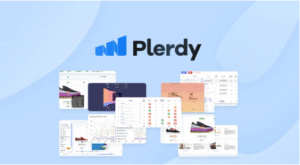
🔥 Key Features That Make Plerdy a Powerhouse
Plerdy stands out by consolidating several crucial tools into a single, seamless dashboard. Here is a breakdown of its core functionalities:
1. Dynamic Heatmaps and Session Replays (The UX/CRO Foundation)
Plerdy’s most celebrated feature is its suite of visual analytics tools that eliminate guesswork:
- Website Heatmaps: Go beyond simple clicks. Plerdy provides Click Maps, Scroll Maps , and a unique Click Sequence feature that tracks the exact order in which elements are interacted with.
Crucially, Plerdy’s heatmaps are dynamic, meaning they track clicks on pop-ups, drop-down menus, and other interactive elements that static heatmaps miss.
- Session Replay: Watch actual recordings of your visitors’ sessions. See their mouse movements, scroll behavior, and clicks in real-time.
This is invaluable for spotting user frustration, broken elements, or confusing navigation that directly cause drop-offs.
- Text Selection Heatmap: A unique insight that shows which parts of your text content users are highlighting and copying,
indicating which parts of your content are most valuable or engaging.
2. Smart Pop-up Forms & NPS Surveys (Lead Generation & Feedback)
Plerdy’s pop-up builder is far more advanced than basic lead-capture forms. It is conversion-focused and highly targeted:
- Smart Triggers: Set pop-ups based on sophisticated rules like exit-intent, scroll depth, time on page, traffic source, or even user’s country .
- Variety: Create various forms, including traditional lead forms, announcement banners, video pop-ups, and the Net Promoter Score (NPS) surveys to gauge customer loyalty.
- A/B Testing: You can easily run A/B tests on your pop-ups to find the perfect offer, design, and trigger that maximizes your lead capture rate.
3. Conversion Funnels & E-commerce Tracking
This feature allows you to map your customer journey from beginning to end (e.g., Home Page $\rightarrow$ Product Page $\rightarrow$ Cart $\rightarrow$ Checkout $\rightarrow$ Thank You Page).
- Drop-off Identification: The funnels visually show the exact step where users abandon the process.
- Session Replay Integration: You can immediately jump from the funnel drop-off report to a session replay of the users who left at that specific stage, allowing for instant diagnosis of the problem.
- Sales Performance Tracking: E-commerce stores can track revenue generated by specific page elements, helping to quickly identify the highest-performing content and offers.
4. SEO Checker & SEO Alerts
The inclusion of powerful SEO tools makes Plerdy a genuine all-in-one product, combining CRO and search engine performance:
- Automated SEO Audits: The tool continuously scans your website for critical on-page SEO issues, such as missing H1 tags, duplicate titles and descriptions, low content word counts, and broken links.
- Real-Time Alerts: Receive notifications about new errors as they appear, allowing you to fix technical SEO issues before they impact your ranking.
- Google Search Console Integration: Easy integration allows you to cross-reference search performance data with user behavior data, tying conversions to keyword visibility.
✅ Plerdy: Pros and Cons
| Pros (Advantages) | Cons (Disadvantages) |
| All-in-One CRO/SEO: Combines heatmaps, session replay, pop-ups, and technical SEO in one platform, saving money and hassle. | Initial Learning Curve: With so many features, the initial setup and full use of the dashboard can be slightly overwhelming for absolute beginners. |
| Dynamic Heatmaps: Accurately tracks interactions with dynamic elements like pop-ups and forms, which many competitors fail to do. | Session Limits: While robust, the number of session recordings can be limited on lower-tier plans, which may require monitoring for high-traffic sites. |
| No-Code Implementation: Easy to install via Google Tag Manager (GTM) or a simple code snippet, requiring no development skills for core setup. | Mobile UI: Some users report the mobile interface for analysis could be further refined. |
| Excellent Value: Offers strong features for a competitive price, especially for the unlimited lead capture feature on many plans. |
🎯 Who Should Use Plerdy?
Plerdy is an ideal tool for:
- E-commerce Stores: To reduce cart abandonment, identify weak product pages, and maximize revenue.
- Digital Marketing Agencies: To quickly audit and optimize client websites for both user experience and search performance.
- Content Websites/Blogs: To analyze scroll depth and text selection to understand content engagement and optimize CTA placement.
- Mid-to-Large Sized Businesses: Seeking a robust, integrated tool to move beyond basic Google Analytics data and implement data-driven CRO strategies.
Conclusion: A Smart Investment in Website Performance
Plerdy successfully bridges the gap between understanding user behavior (CRO) and maintaining website health (SEO).
By providing clear, visual, and actionable data, it allows non-technical marketers to pinpoint performance bottlenecks and test solutions quickly.
If you are serious about increasing your website’s conversion rate, improving user experience, and gaining a competitive edge by keeping your technical SEO in check, Plerdy is an essential tool that transforms traffic data into profitable action.